
H555 Download Game Apk – Top Gaming App in Pakistan 2026
If you’re looking for a simple way to enjoy online gaming on your mobile device, H555 Download is a great place to start. The app is designed for Android users in Pakistan who want quick access to a variety of casino-style and card games in one platform.
H555 APK Download for Android
H555 is primarily relevant to Android users looking for a mobile gaming platform. An APK is the installation package used by Android to install an application outside the Google Play Store.
If you already have an H555 account, downloading the application can provide a convenient way to access your account from your smartphone instead of repeatedly opening a browser.
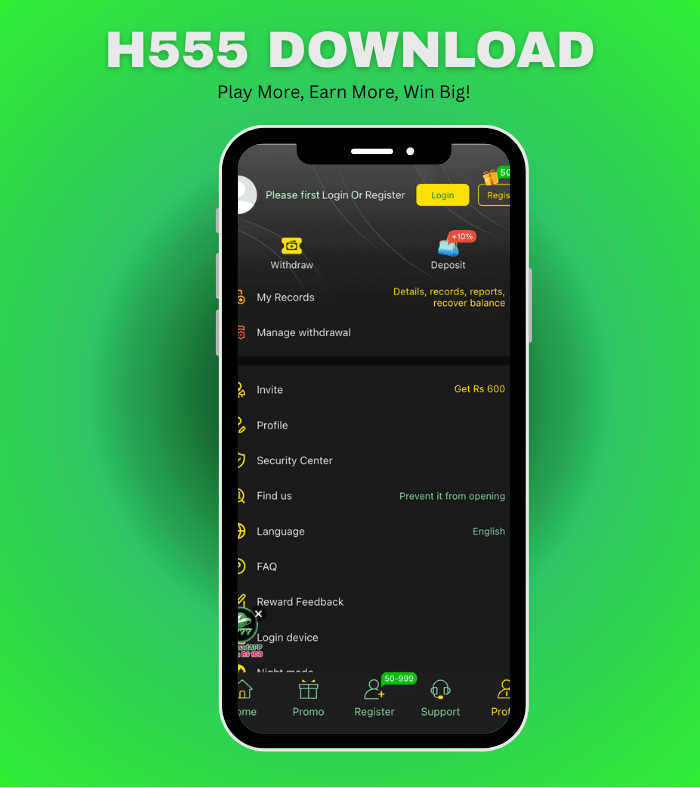
H555 Download Steps
- Open the current H555 download page on your Android phone.
- Locate the latest available H555 APK.
- Check the version information before downloading.
- Start the APK download.
- Wait until the file has completely downloaded.
- Open the downloaded APK file.
- If Android displays a security warning, review the source before continuing.
- Allow installation only if you trust the source.
- Install the application.
- Open H555 after installation.
- Log in to your existing account or register if you are a new user.
How to Install H555 APK
Installing an APK is slightly different from downloading an application through Google Play.
Step 1: Download the APK
Download the current H555 APK file from a source you trust. Make sure you have enough storage space on your phone.
Step 2: Open the Downloaded File
After the download finishes, open the file through your browser’s download section or your Android file manager.
Step 3: Review Android’s Security Message
Android may display a warning when an application is being installed from outside Google Play. This is normal for many sideloaded APKs, but it is also an important reminder to verify where the file came from.
Step 4: Install the Application
If you have verified the source and want to continue, follow the installation instructions displayed by Android.
Step 5: Launch H555
Once installation is complete, open the application from your phone’s app menu and proceed to the H555 login or registration screen.
H555 APK Latest Version
Using a current version is preferable to installing an old H555 APK. Older versions may have outdated interfaces, compatibility problems or features that no longer work correctly with the current platform.
Before installing a new version, check:
| Information | Why It Matters |
|---|---|
| APK Version | Helps identify whether the file is current |
| File Size | Useful for checking the download |
| Update Date | Shows how recently the file was released |
| Android Compatibility | Confirms whether your device can run it |
| Source | Helps avoid unofficial APK files |
| Installation Method | Determines how the APK should be installed |
If an update is available from the platform you trust, use the newer version instead of continuing with an outdated APK.
H555 Download for Android Phone
The H555 APK can be downloaded directly to an Android smartphone when the current platform provides an APK installation file.
For a smoother installation, make sure:
- Your phone has sufficient free storage.
- Your internet connection is stable.
- Android is updated where possible.
- You have downloaded the correct APK.
- The APK comes from a trustworthy source.
- You are not installing several unknown copies of the same application.
After installation, you can remove an older version if the new version installs successfully and your account information is not stored only on the old application.
H555 APK Compatibility
Compatibility can depend on the Android version, device hardware and the requirements of the particular H555 release.
Most modern Android smartphones can handle ordinary mobile applications, but older devices may experience installation or performance problems.
If H555 does not install, check:
- Your Android version.
- Available storage.
- APK file integrity.
- Whether the download completed properly.
- Whether an older conflicting version is installed.
- Whether the APK is designed for your device.
Avoid downloading several APK files from random websites just to find one that installs. A different APK can create additional security risks.
H555 APK Not Installing?
If the H555 APK refuses to install, there are several basic things you can check.
Check Storage
A phone with very little free storage may not be able to install a new application. Delete unnecessary files or applications if needed.
Download the File Again
An interrupted or incomplete download can result in a damaged APK. Delete the problematic file and download the current version again from a trusted source.
Check Android Compatibility
The APK may require an Android version that your device does not support.
Remove an Old Conflicting Version
If an older H555 installation is causing a conflict, check whether the application can be updated normally or whether the old version needs to be removed first.
Verify the APK Source
If an APK repeatedly produces unusual errors, do not keep trying random copies from different websites. Recheck the source before continuing.
H555 Download Not Working?
Sometimes the problem is not the APK itself. The download page may be temporarily unavailable, the server may be busy or the internet connection may be unstable.
Try the following:
- Refresh the download page.
- Check your internet connection.
- Try again later if the server is unavailable.
- Clear temporary browser data.
- Use a current browser.
- Check whether your phone has enough storage.
- Make sure the download has completed.
- Avoid suspicious mirror websites.
If the platform has provided an updated download link, use the newest trusted link rather than an old APK saved on your phone.
H555 APK Update
Keeping an application updated can help with compatibility and access to newer features. If a new H555 APK version is released, compare it with the version currently installed on your phone before updating.
How to Update H555 APK
- Check the current version installed on your phone.
- Find the latest version from a trusted H555 source.
- Download the new APK.
- Check that the download is complete.
- Open the APK.
- Follow Android’s installation instructions.
- Launch H555 after the update.
- Confirm that your account can be accessed normally.
Always keep your account credentials available before updating, particularly if you are not sure whether the update will preserve the existing application installation.
H555 Download and Account Login
Downloading the APK and logging into H555 are separate processes.
Download installs the application on your Android phone, while Login gives you access to an existing account.
After successfully installing H555, registered users can use their existing login credentials if the current version supports account access.
The general process is:
Download APK → Install H555 → Open App → Login → Access Available Features
New users can use the registration option if it is available in the current application.
H555 Download and Wallet Features
Depending on the current H555 version and account configuration, the application may provide access to wallet-related features after login.
These can include account balance information, deposit options, withdrawal requests and transaction details.
However, downloading the APK does not automatically create a balance or guarantee access to promotional rewards. Account eligibility and platform conditions still apply.
H555 APK Safety Guide
APK installation requires more attention than downloading an application from a trusted official app store.
Before installing H555, keep these points in mind:
Download From a Trusted Source
Avoid APK files shared through unknown social-media accounts, random messaging groups or suspicious websites.
Check the Application Name
Look carefully at the application name and package information before installation. A malicious application can use a similar name to a legitimate one.
Don’t Disable Every Security Feature
If a website tells you to disable multiple Android security protections simply to install its APK, consider that a warning sign.
Review Permissions
Pay attention to the permissions requested by the application. Be cautious if an app requests access that does not appear relevant to its advertised function.
Keep Your Phone Updated
Android security updates can help protect your device against known vulnerabilities.
Protect Your Account
Never give your H555 password, OTP, JazzCash PIN or Easypaisa PIN to another person.
H555 Download vs H555 Web Version
Some users may prefer an APK, while others may want to use H555 through a browser.
| Feature | H555 APK | H555 Web |
|---|---|---|
| Installation | Required | Not normally required |
| Access | Through installed app | Through browser |
| Updates | APK may need updating | Web version updates on server |
| Storage | Uses phone storage | Minimal app storage |
| Convenience | App icon and direct access | Open through browser |
| Compatibility | Depends on Android version | Depends on browser/platform |
If you do not want to install an APK, check whether the current H555 platform offers a working browser-based version.
H555 Download Tips for Pakistani Users
Pakistani Android users looking for H555 should pay attention to both the application and the website providing the download.
A few simple precautions can prevent many common problems:
- Use a stable internet connection.
- Download the latest available version.
- Check the source before opening an APK.
- Don’t install modified or “unlimited money” versions.
- Avoid APKs advertised as hacked or cracked.
- Don’t provide your payment PIN to download an app.
- Keep Android security features enabled where possible.
- Check app permissions after installation.
- Remove suspicious applications immediately.
- Keep your H555 password private.
A genuine application should not require you to install unrelated software or provide sensitive banking information simply to download it.
H555 Download FAQs
What Is H555 APK?
H555 APK is an Android installation package used to install the H555 application on compatible Android devices.
How Can I Download H555?
Open the current trusted H555 download source, locate the latest Android APK and download it to your phone. Verify the source before installation.
Can I Install H555 on Android?
If your device meets the requirements of the current H555 release, you can install the available Android APK.
Do I Need Google Play to Download H555?
Not necessarily. If H555 distributes its application as an APK, Android users can install it through the APK file. However, only use a trustworthy source.
Why Is My H555 APK Not Installing?
Common reasons include insufficient storage, an incompatible Android version, an incomplete APK download or a conflict with an existing installation.
Should I Download an Old H555 APK?
Using an old APK is generally not preferable when a newer trusted version is available. Older versions can have compatibility or security issues.
Can I Update H555 Without Losing My Account?
An ordinary application update may preserve account access, but account information should ultimately be stored with the platform rather than relying solely on the app installation. Keep your login credentials secure before updating.
Is H555 Available for iPhone?
APK files are designed for Android. An Android APK cannot normally be installed directly on an iPhone. If H555 provides an iOS application or browser version, use that platform instead.
Is Every H555 APK Safe?
No. The name of an APK file alone does not prove that it is legitimate. Download applications only from a source you trust and review the installation carefully.
What Should I Do If a H555 Download Link Looks Suspicious?
Do not download or install the file. Verify the source through the legitimate H555 platform before proceeding.
Final Thoughts on H555 Download
H555 Download provides Android users with a way to install the H555 mobile application and access the features supported by the current version. The basic process is simple: download the latest APK from a trustworthy source, verify the file, install it on a compatible Android device and then open the application.
The most important part of any APK download is source verification. Avoid modified, cracked or suspicious H555 applications, and never give your password, OTP, JazzCash PIN or Easypaisa PIN to someone claiming they can install or activate the app for you.
For Pakistani users, checking the current APK version, Android compatibility, installation requirements and official platform information before downloading can provide a smoother and safer experience.